

V1.0.41 Live | Workshop Open, Fox Code, 34 New Fish & More
Date: 2026-04-01 15:31:08
Hello everyone, This update adds a new Fox Meow Code, more fish and decorations, and several quality-of-life improvements. More importantly, Steam Workshop is now officially open for No Slack Pets: Lo-Fi Paws. You can now browse, subscribe to, and use player-created content through Steam Workshop, and also upload your own creations to share with other players.
V1.0.41 Update Notes
🆕 New
- Added Steam Workshop support (currently for room decorations)
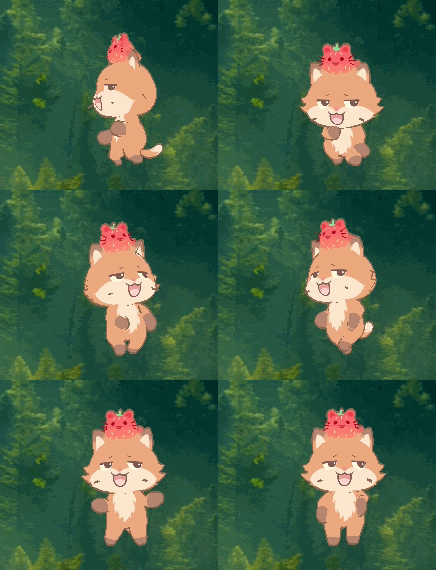
- Added a new Fox skin (Meow Code): fox
- Added 6 new gamepad device items

- Added 34 new fish
- Added 1 new scene clock decoration
- Added 1 new device clock decoration
⚙️ Improvements
- Added settings support for automatic lobby rejoin
- Adjusted the petal effects of the SS-rank Sakura Headgear
- Improved transparency for some eye lenses
- You can now unequip the cursor and use the system default cursor
🐞 Bug Fixes
- Fixed clipping issues between some headgear, ears, and faces
- Fixed an issue where text on calendar and clock decorations would also flip when the item was flipped
- Fixed an issue where the lobby chat UI could remain visible when other players were hidden
Steam Workshop Is Now Open
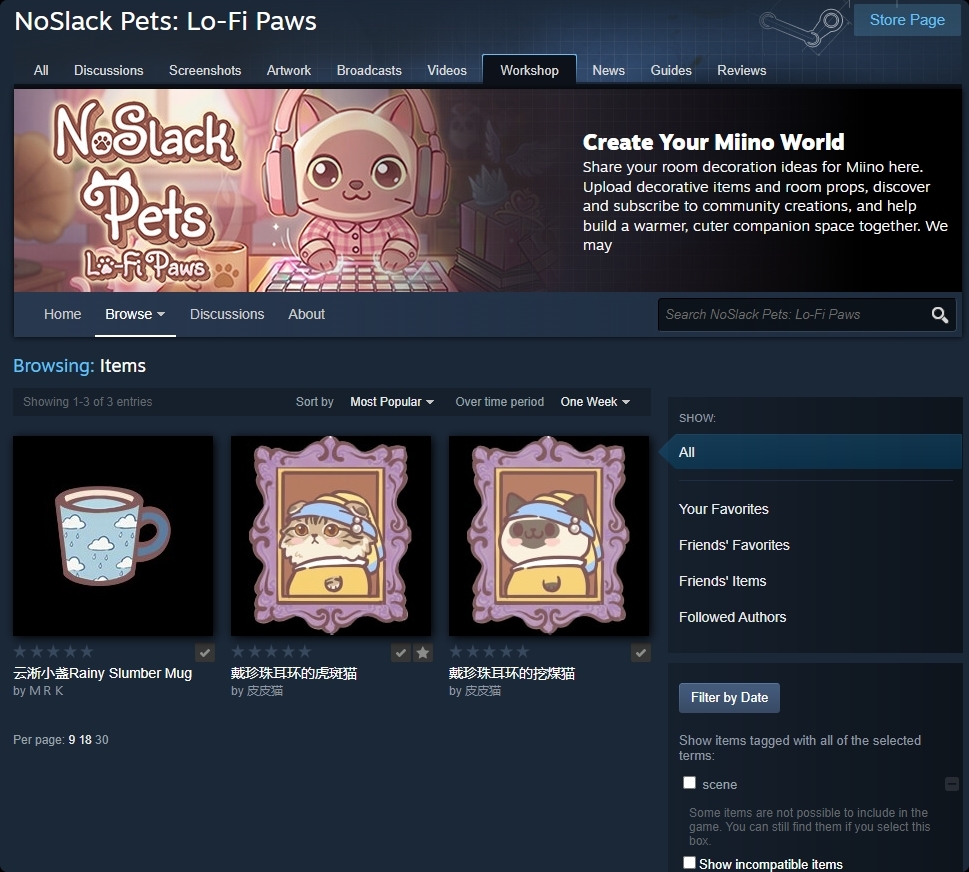
The Steam Workshop for No Slack Pets: Lo-Fi Paws is now open.
You can now visit the Steam Workshop page to browse, subscribe to, and use player-created content, or upload your own creations to share with other players.
At the moment, the supported Workshop content type is: Room Decorations
Click here to visit the Workshop page
You can also access it in-game:
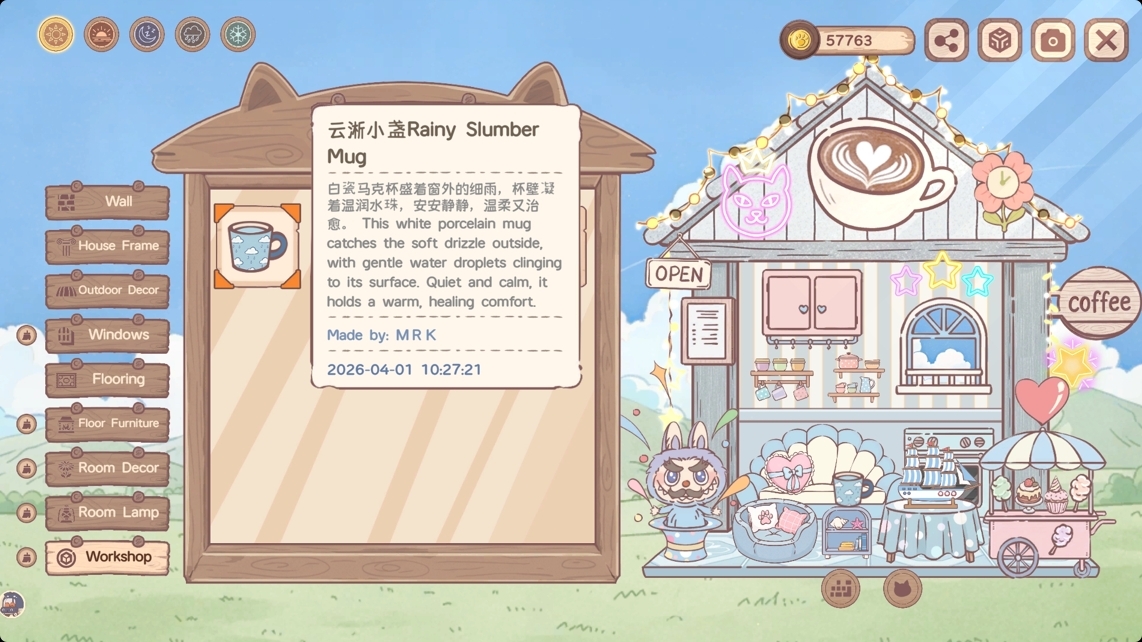
- Open the House Edit screen to browse Workshop content
- Go to Menu > Decorations > Workshop to upload your own item
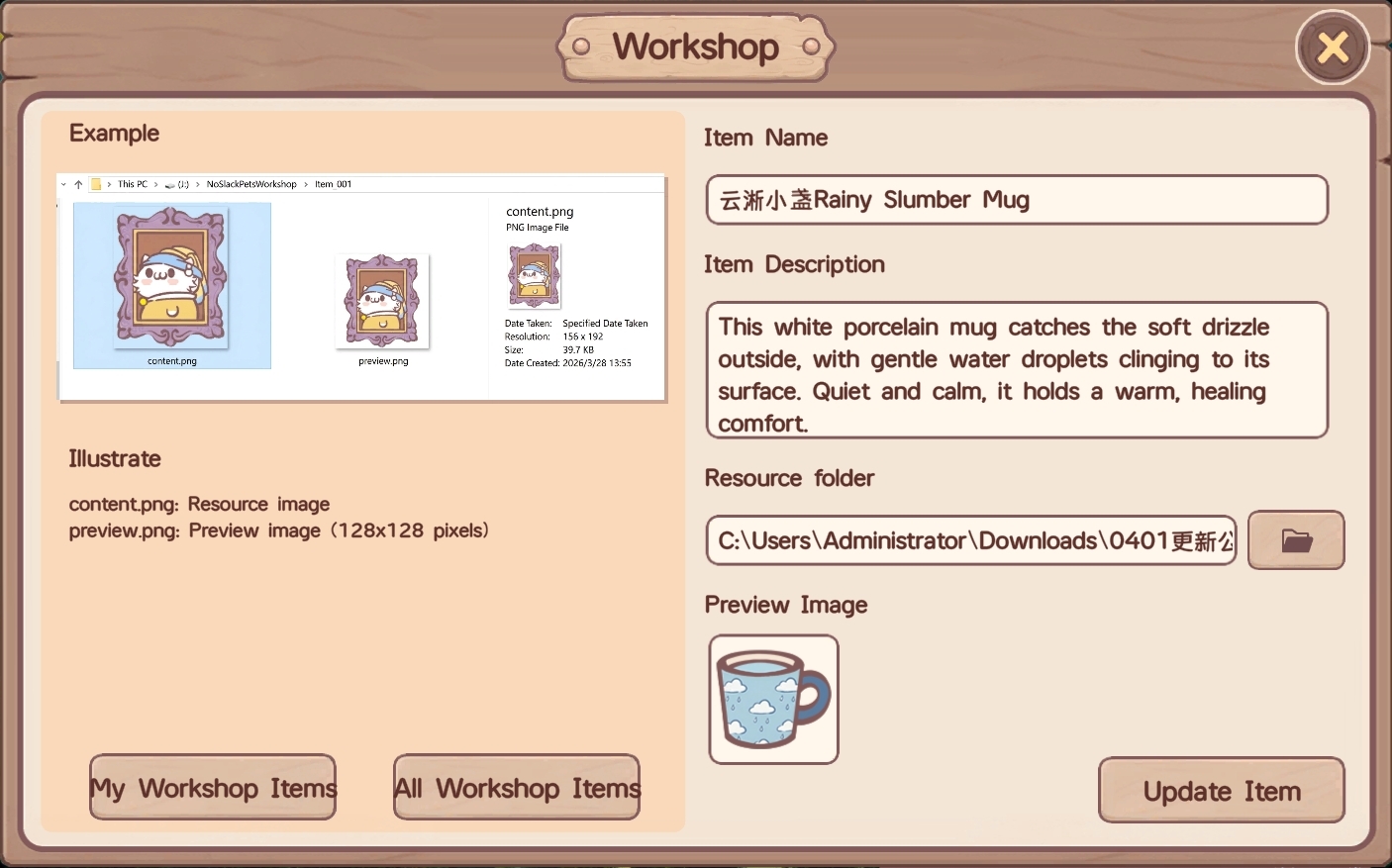
Please note the following when uploading items:
- Your resource folder must include both the item image and the preview image
- The preview image filename must be preview.png or preview.jpg
- Only JPG and PNG image formats are supported
After subscribing to a Workshop item, the in-game list may not refresh immediately. Please wait a moment and check again shortly after.
Workshop FAQ
Q: How do I edit a Workshop item I already uploaded?
A: After the first upload, a file named published_file_id.txt will be generated in the resource folder. After that, you only need to replace the corresponding files in the same folder and upload again.
Q: Why doesn’t a subscribed item appear in the game immediately?
A: There may be a short delay before subscribed Workshop content refreshes in-game. Please wait a little and check again.
Q: Why can’t other players in the lobby see the Workshop item I’m using?
A: Other players also need to subscribe to the same Workshop item in order to see it correctly in-game.
Thank you, as always, for your feedback and support. If you’ve tried this update or the new Workshop feature, feel free to leave us a message in the community. And if you’re enjoying the game, leaving a Steam review would mean a lot to us and really helps our small team.