
DEVLOG #17 – OPTIMIZATION
Date: 2025-05-26 16:04:46
Howdy, partners!
Every game starts rough. At first, we’re focused on gameplay and visuals, not performance. It’s all prototypes, heavy assets, wild ideas… and suddenly, it’s running at 15 FPS. Yep, we’ve been there too. But now we’re on a mission to hit 60.
We optimize two big areas: CPU, meaning game logic, collisions, movement, AI, and GPU, so everything visual.
Optimization means finding smarter ways to do things and cutting what’s too heavy.
Farewell, Nanite
Early on, we were thrilled about Nanite, Unreal Engine 5’s fancy rendering tech that lets you use ultra-detailed models. But as our world filled up, problems piled on: stutters, memory spikes, performance dips... We ran a ton of tests and eventually accepted the truth: Nanite just wasn’t the right fit for our game.
So we cut it. Maybe we’ll get back to it in our next game? It worked wonders in Expedition 33, but our guess is that projects really need a Nanite-oriented approach from the get-go.
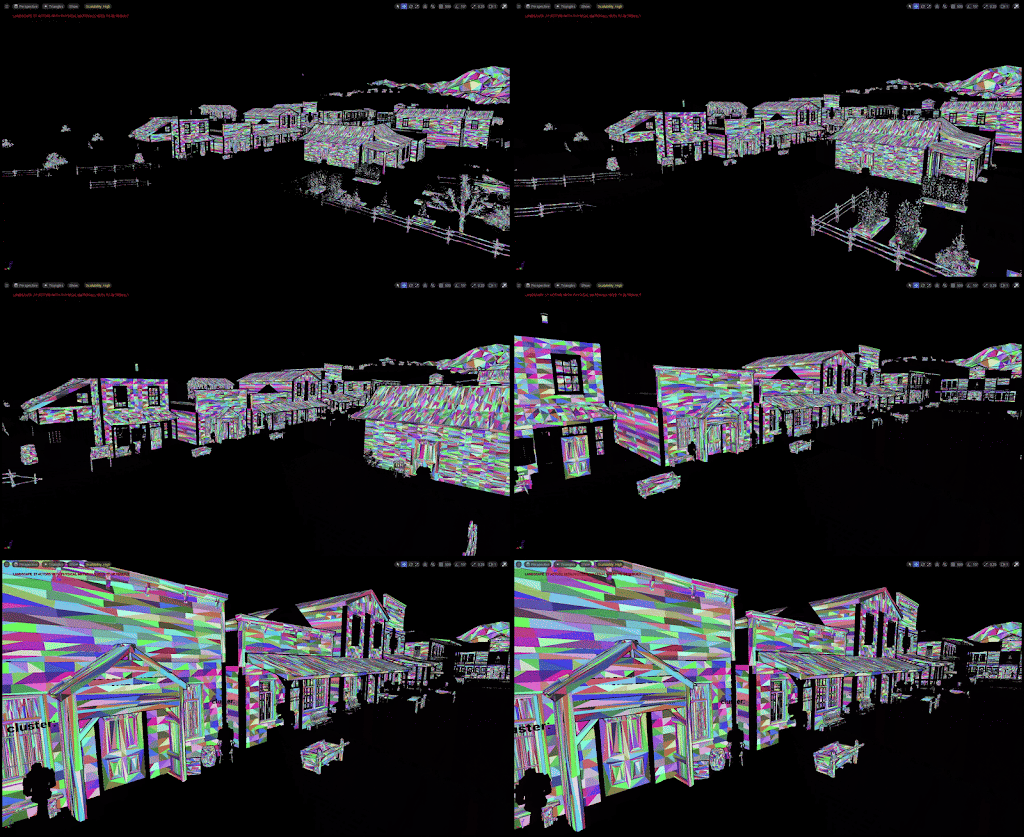
Nanite triangle visualisation of the main street in our town, Bravestand.
Anything black is not nanite – the colorful ones are. You can see how the triangles change when you get closer.
💡further reading: "What is Nanite?"
Draw Calls, LODs, and Distant Tree Drama
In an open world, managing draw calls is crucial. Each one is a command to the GPU to render something. We fight the flood with mesh instancing, meaning 100 identical trees are grouped together under a single draw call, and HLODs (Hierarchical Level of Detail), which simplify faraway stuff into chunky geometry.
We also rely heavily on LODs — simpler versions of objects used at a distance. Auto-generated ones usually work, but Unreal struggles with things like trees, often dropping entire branches. Our artist is currently handcrafting tree LODs to fix that.
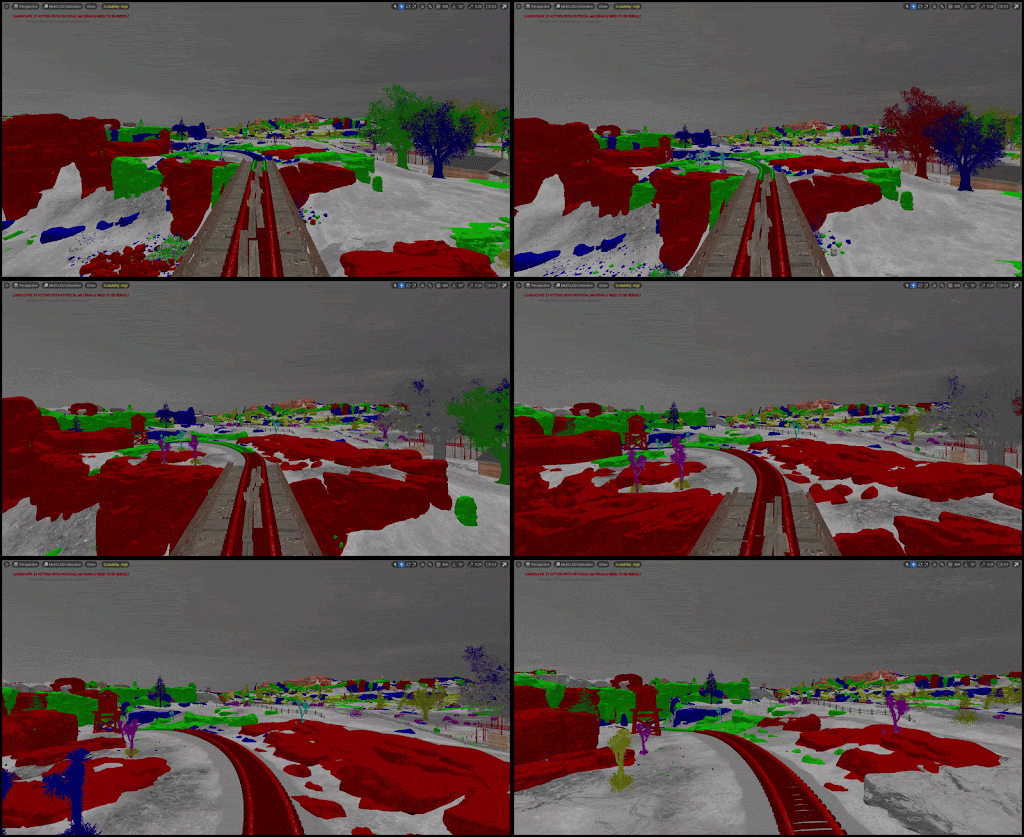
Visualisation of the changing LODs of the train tracks and nature around them.
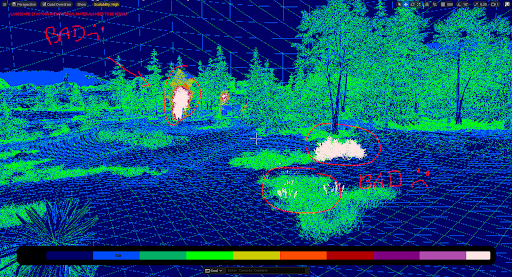
Visualisation of the density of the triangles in certain spots.
💡further reading: "Polycount, Optimization and Draw Calls"
Lighting on a Leash
We use fully dynamic lighting, which looks great but hits performance hard. Most games bake lighting (pre-render it), but we wanted a real-time sun, beautiful mornings, and picturesque sunsets.
To keep it manageable, we reduced light precision and added a graphics setting so players can choose how often the sun moves to best suit the might of their machines.
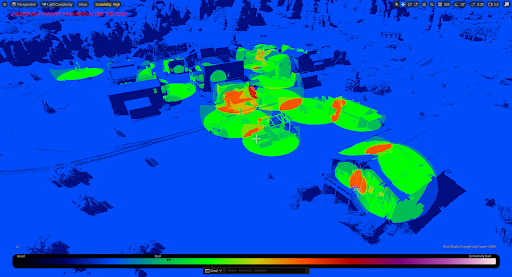
Visualisation of lighting of a scene, in this case the town of Bravestand from a different angle.
The orange blobs signify overlaps of light coming from different light sources, which is more costly performance-wise.
💡further reading: "Lighting the Environment"
CPU: Simpler Collisions, Smarter Code
First target? Collisions. And by collisions, we don’t mean just bumping into stuff – this concept includes overlaps and big trigger volumes: checking if animals are in their homes and if NPCs are at a certain location.
We simplified them to spheres, capsules, and boxes – as little complex shapes as possible. Most moving objects either have no real collision, or we fake it. Why? Because checking for hits and overlaps constantly drains CPU.
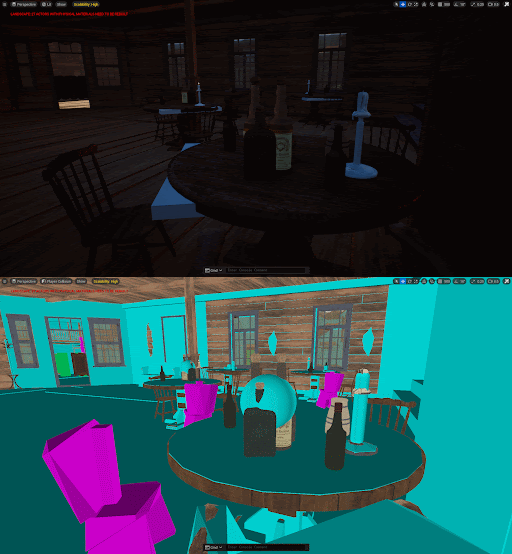
Visualisation of the collisions of different objects at the Saloon in town.
The bottles, for example, have spherical collisions.
💡further reading: "How to Optimize Collision Performance"
Data Loads and Animal AI
Our world runs on big databases for animals, plants, and buildings. And in the case of buildings, every single module is a separate entry, and some buildings have dozens of modules! Pulling data was slow, but our backend dev sprinkled some magic and sped things up — though it’s still a work in progress.
We’re also refining NPCs and animals, which are complex due to animation, AI, collisions, and skeletal meshes. For example, animals and characters have 5fps animations when you’re not looking. ;)
We keep tweaking their behavior logic to make them smarter and leaner.
To track what’s slowing us down, we use the Unreal Insights tool.
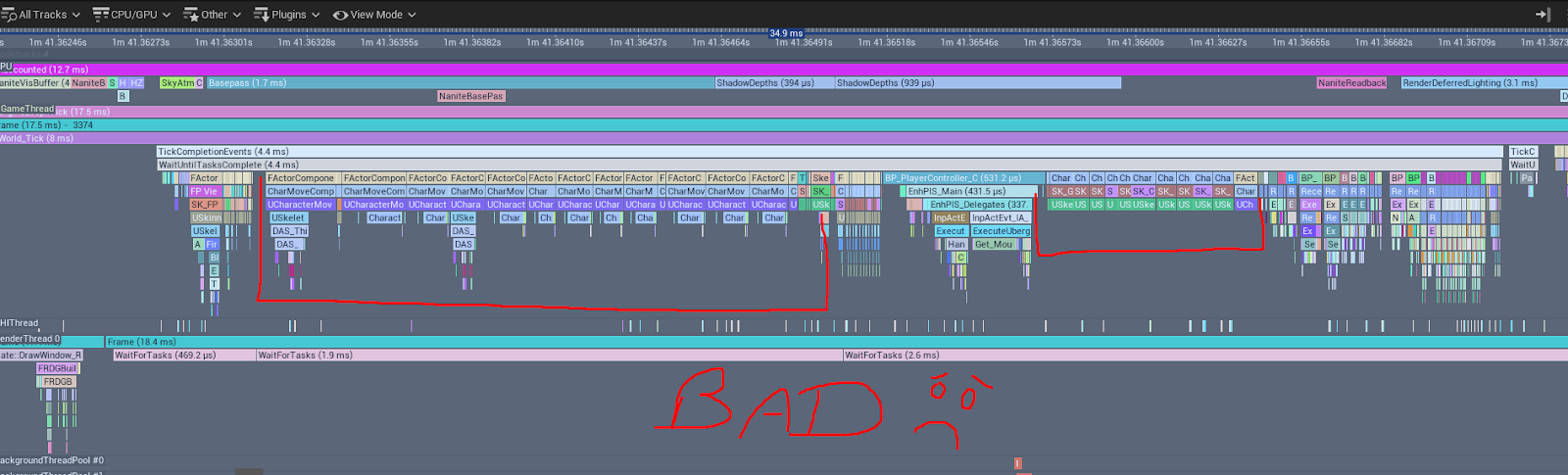
Our main investigation tool for diving deep into optimization issues – the Unreal Insights graph.