

Patch: Ver1.5.0
Date: 2026-04-15 09:30:04
 Thank you for always playing Chill with You:Lo-Fi Story.
Today, we have released Ver1.5.0.
Detail
- Fixed an issue where unplayable files could be imported. Any existing unsupported files will be automatically unimported after the update.
- Added a message dialog during account linking from a PC. Previously, if you interacted with the game before completing the process in your browser, the account linking would be canceled.
- Fixed an issue where Satone's voice could still be heard even when her self-talk were turned off.
- Added support for continued play in unstable network situations (*).
- Various other minor quality improvements, bug fixes, and display adjustments.
* Note
Prior to Ver1.5, if save data could not be uploaded to the cloud server due to network issues after linking an account, the game would return to the startup screen. However, from now on, you can continue playing offline even if the save data cannot be saved to the cloud server.
If you closed the game before saving to the server, please restart the game on the device you last used under a stable internet connection. Ensure that the sync failure warning has disappeared and your data is successfully saved before launching the game on another device. Please note that launching on another device first will result in the loss of any progress made during offline play.
A warning will appear on the screen when save data cannot be saved to the server. Please wait for it to disappear before launching the game on another device.
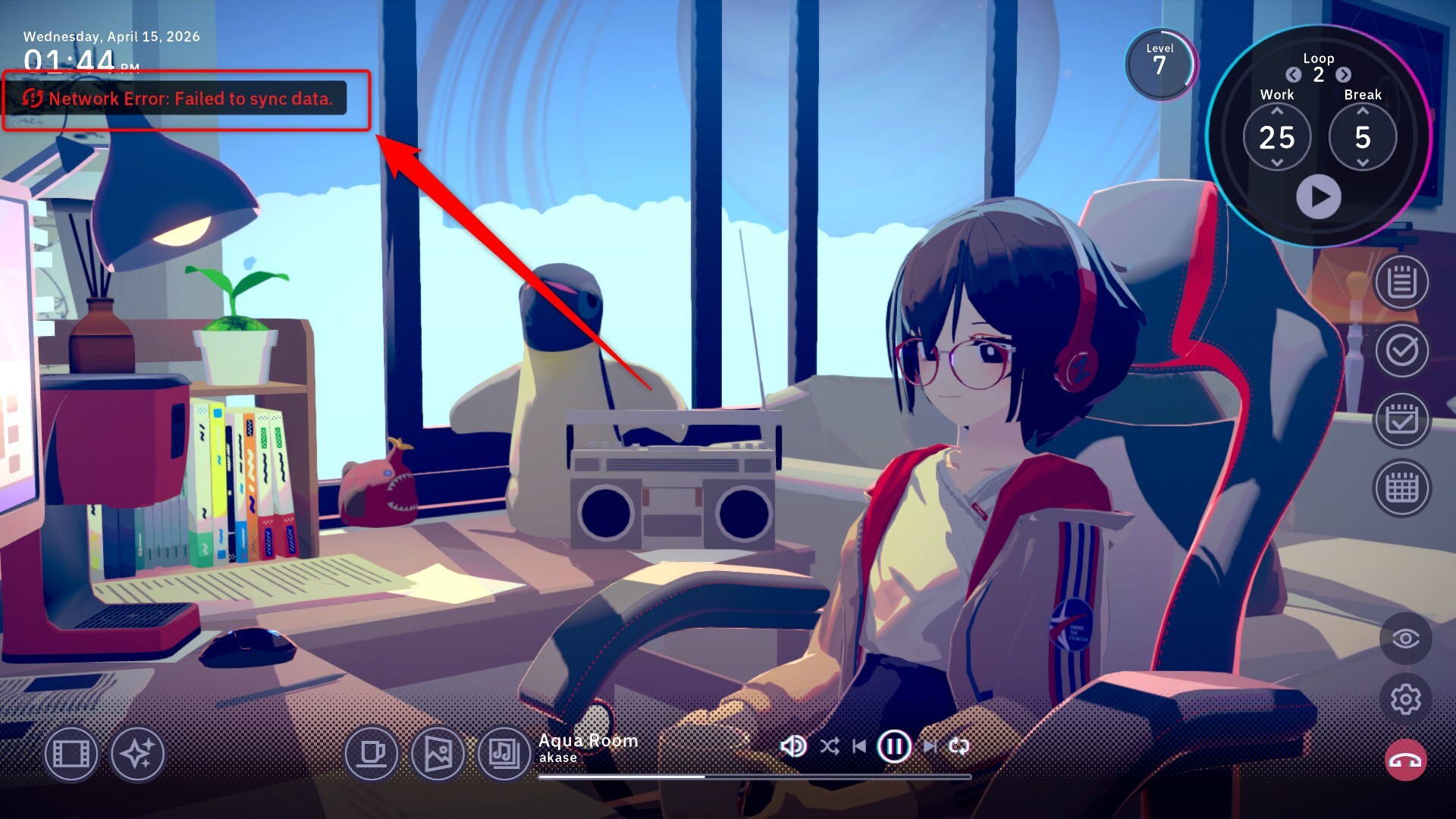
Example:
Suppose you are using the same account on both your PC and smartphone. If your smartphone had an unstable connection and failed to save the last 30 minutes of gameplay to the cloud.
In this situation, launching the PC version now will cause those 30 minutes of data to be lost. To resume from where you left off, restart the smartphone version first and wait until the sync failure warning disappears. Once the sync is complete, you can safely launch the PC version and continue your progress.